
FreeIndicator
ATR Volatility Monitor
A panel that tells you whether the market is moving a lot or a little for that asset, with an ATR-based trailing stop.

Turns support and resistance zones into a complete trade plan: where to enter, where the stop loss and take profit go, and how many lots match your risk. It also shows the risk of your whole account, the market regime across several timeframes and a symbol scanner. Available for MetaTrader 5 and MetaTrader 4.
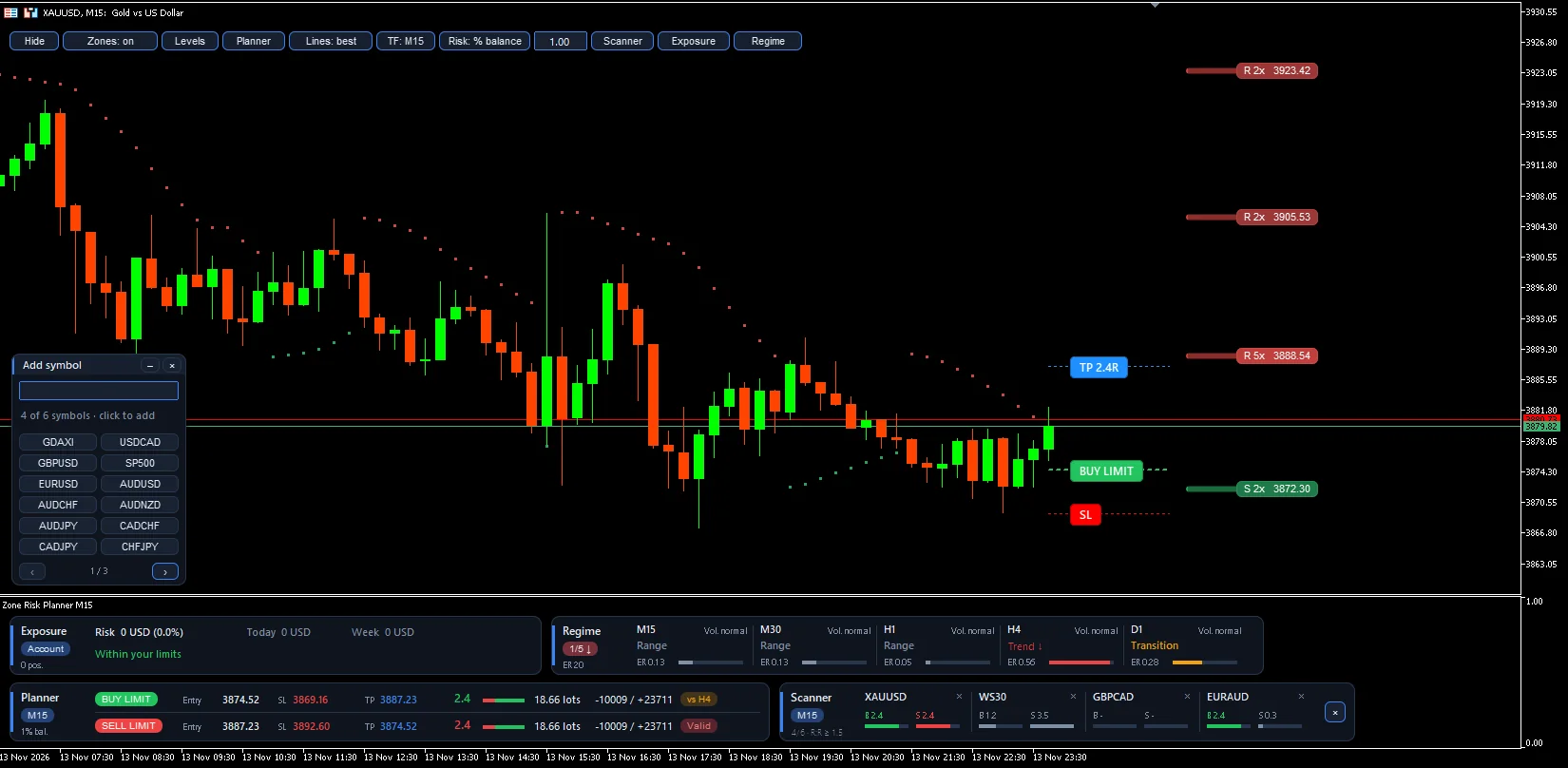
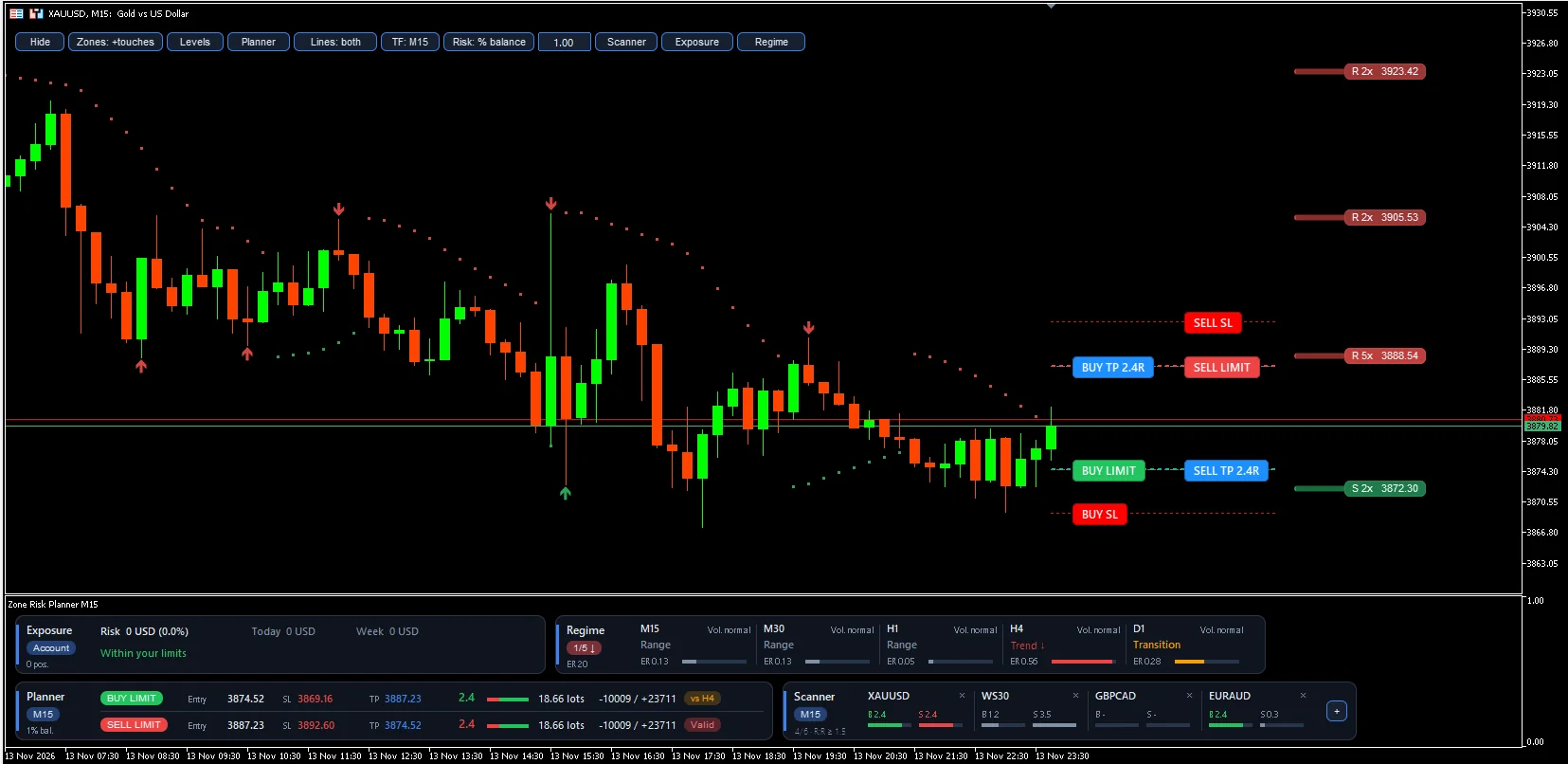
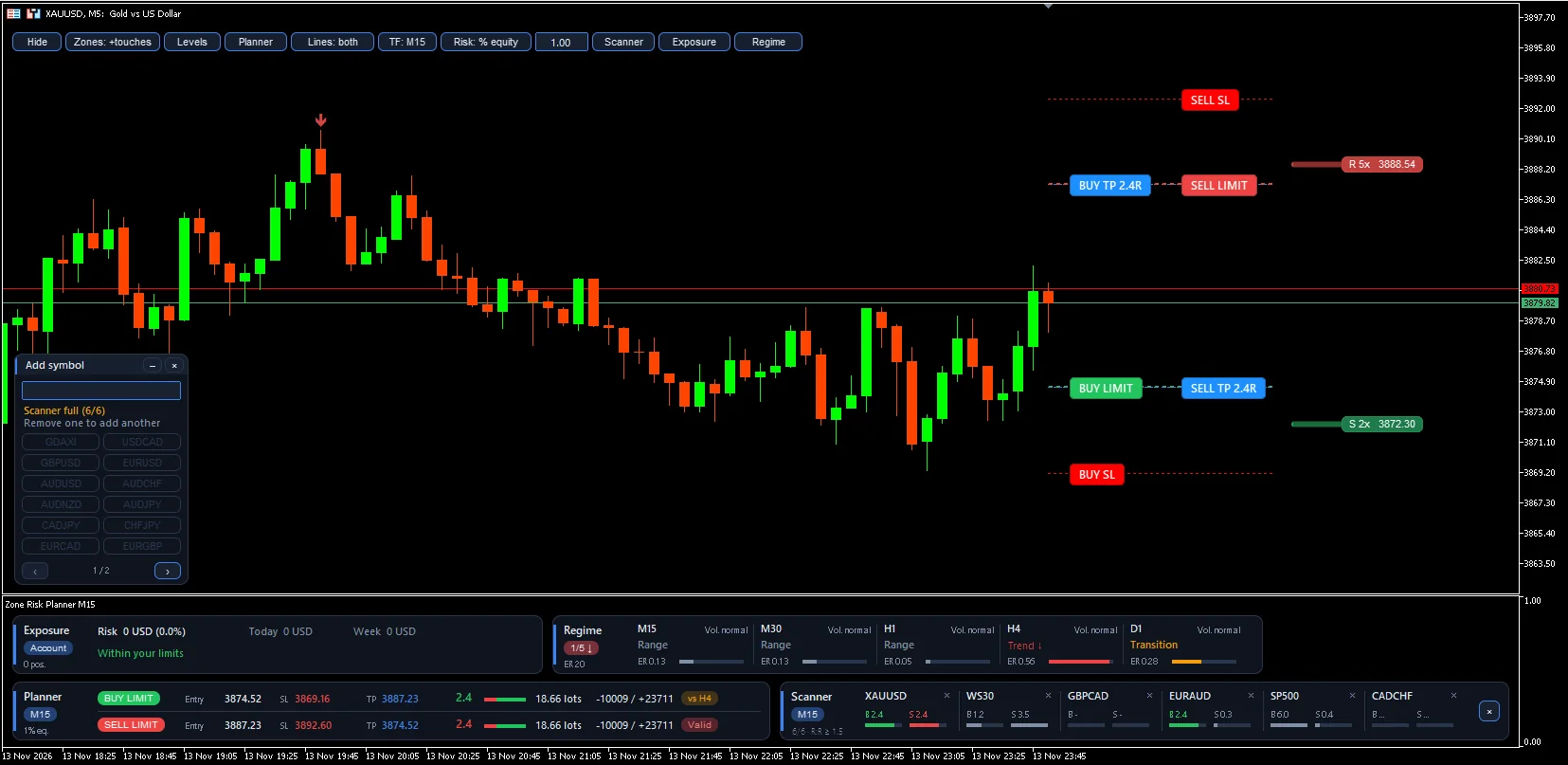
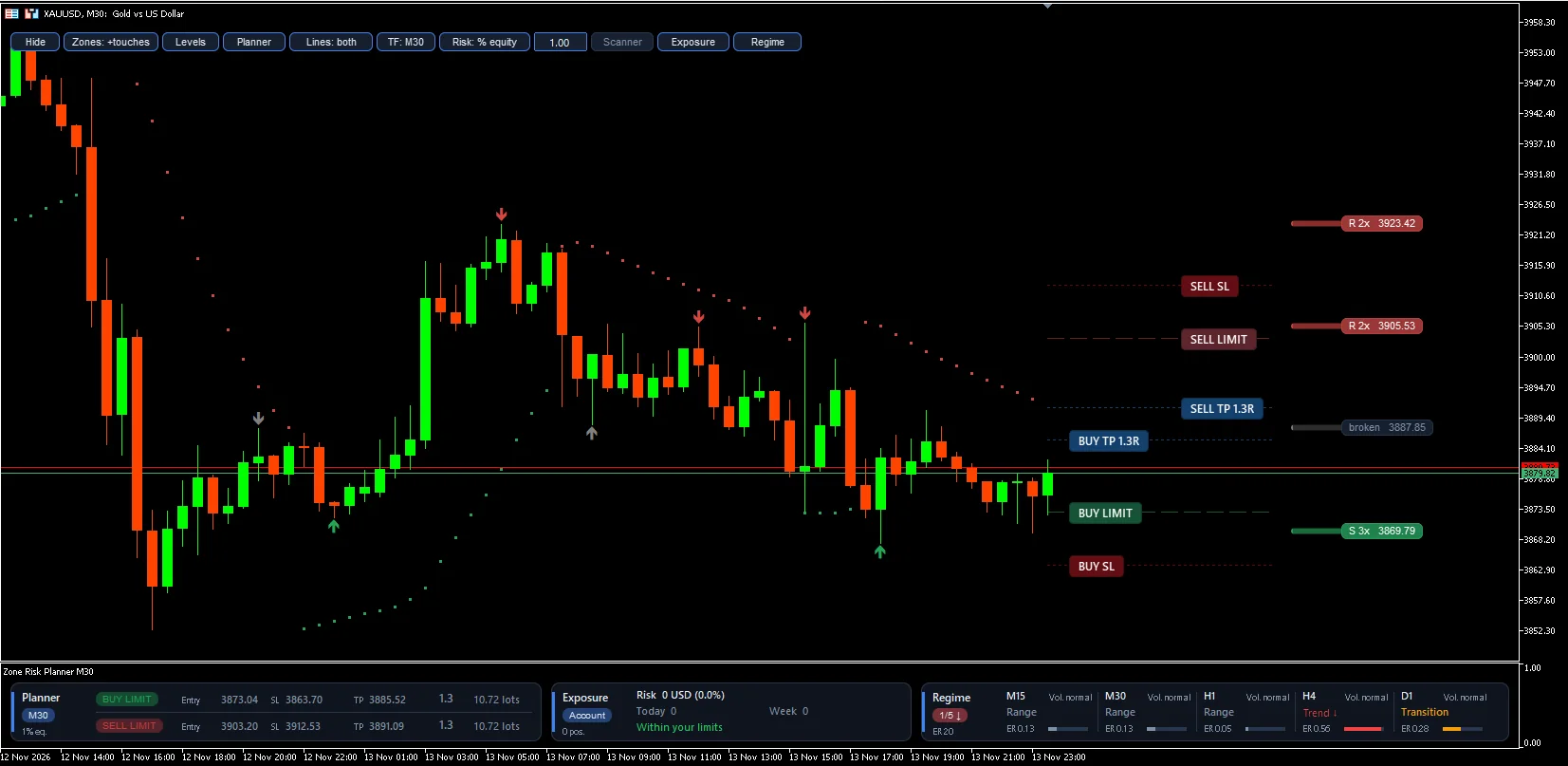
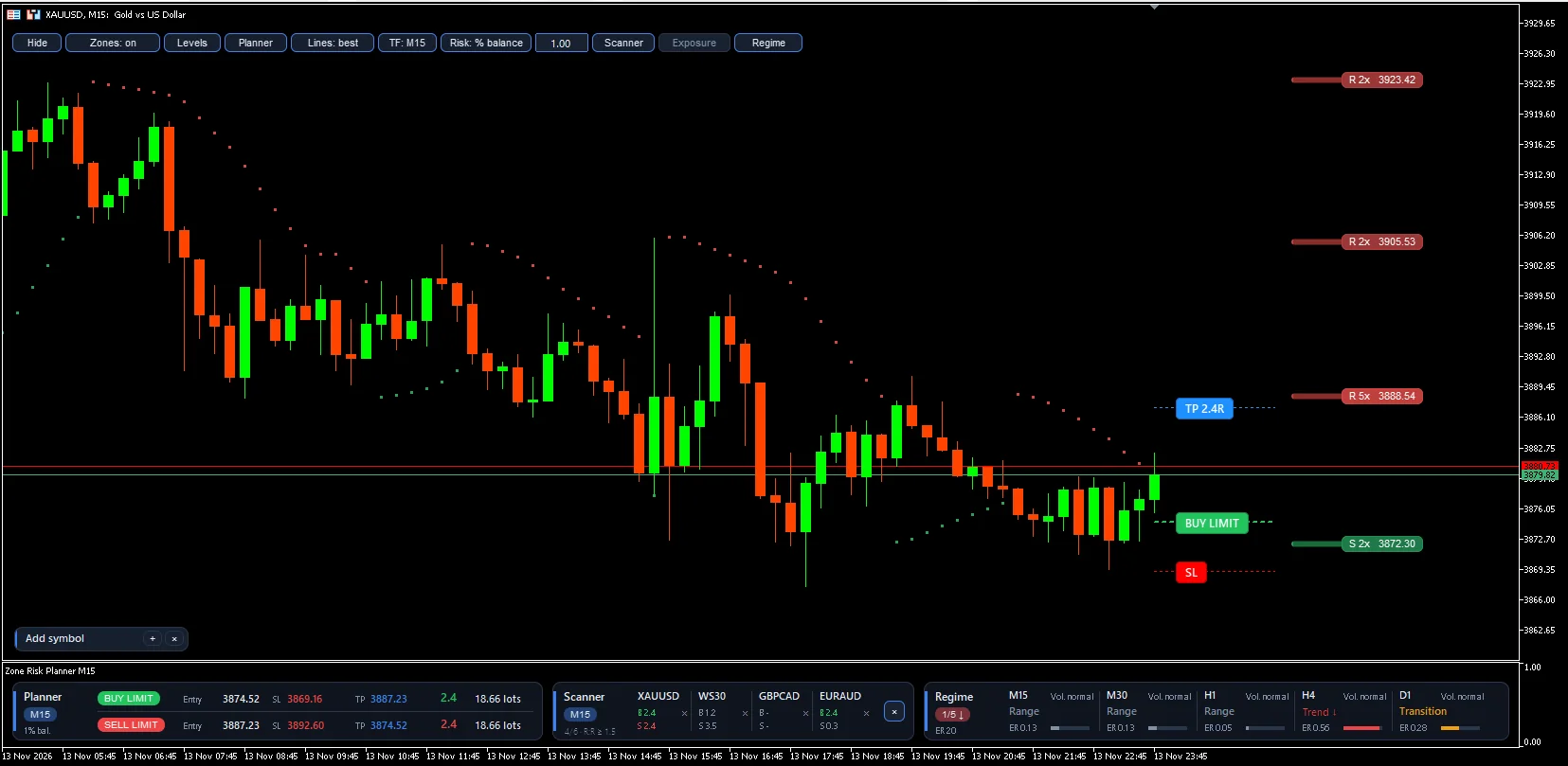
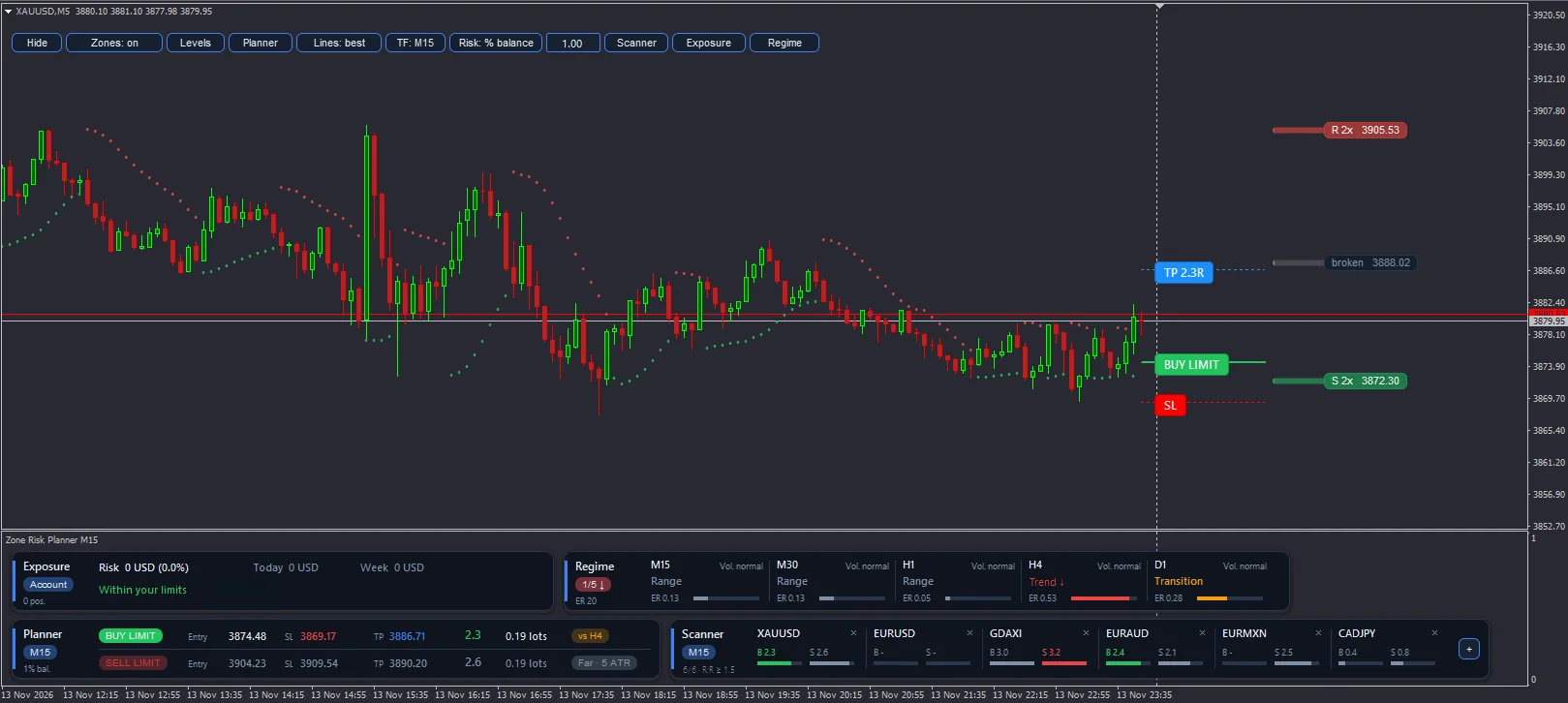
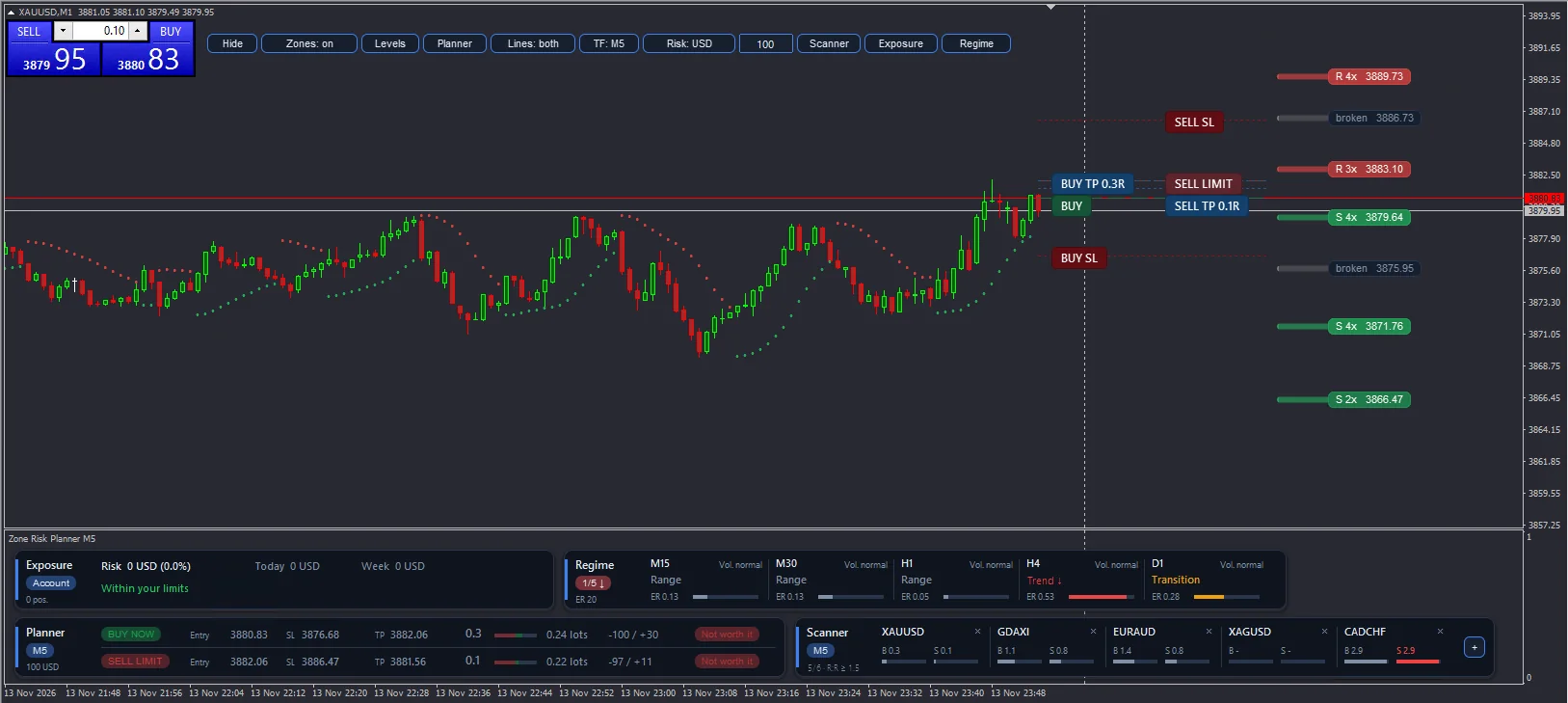
Screenshots taken on a demo account.
LanguageLanguage of buttons, panels and alerts (English or Spanish).ProfileAsset profile: Auto, Forex, Indices, Metals, Crypto or Custom. Auto adapts by itself.Zone timeframeInitial zone timeframe (change it later with the TF button).Pivot bars left / rightCandles that confirm a high or low. More candles, fewer but stronger zones.Minimum touchesTouches needed for a zone to count.Max zones per sideZones drawn above and below price.Recommended entryLimit order at the zone edge or market entry.Minimum R:RMinimum ratio for a plan to be valid.Risk mode / Risk % / Fixed riskHow risk per trade is calculated.Commission per lotYour broker’s round-trip commission per lot, in account currency, so lots and R:R are exact.Max open risk / Max daily loss / Max weekly lossAccount limits that trigger warnings.Regime timeframesTimeframes for the regime panel.AlertsZone entry, breakout, valid plan, account limits and regime change, by pop-up, mobile or email.This indicator helps you plan trades and control risk. It does not predict the market or guarantee results. Always check the lot size in your broker’s order window before trading, and try it first in the Strategy Tester or on a demo account.
Sign in with your MQL5 account.
It will appear in the MetaTrader Navigator, under Indicators → Market.
The full user guide is in the Comments tab of its Market page; each platform has its own.
Yes. The MetaTrader 4 version is a separate product on the Market: buy it with the “MT4” button.
No. It gives you the information and the plan; the decision to trade is always yours.
In the Comments tab of its MQL5 Market page, in English.
Yes. From its Market page you can download the free demo and try it in the Strategy Tester, in visual mode. In MetaTrader 4 the tester calculates the zones, the planner and the trailing dots, but the buttons and panels do not respond there.
It never sends, modifies or closes orders: it only works on the chart with the data it needs.
Get it on the MQL5 Market
A panel that tells you whether the market is moving a lot or a little for that asset, with an ATR-based trailing stop.

See everything on your chart and remove only what you choose, with protection for what you want to keep and an undo option.
Every MetaTrader drawing tool in one panel below the chart, in your colours and snapped to the candle.