• Indicator
  • MetaTrader 5
  • MetaTrader 4
  • Free

Zone Risk Planner Core

Turns support and resistance zones into a trade plan: where to enter, where the stop loss and take profit go, and how many lots match your risk. It is the basic, free version of Zone Risk Planner, for MetaTrader 5 and MetaTrader 4.

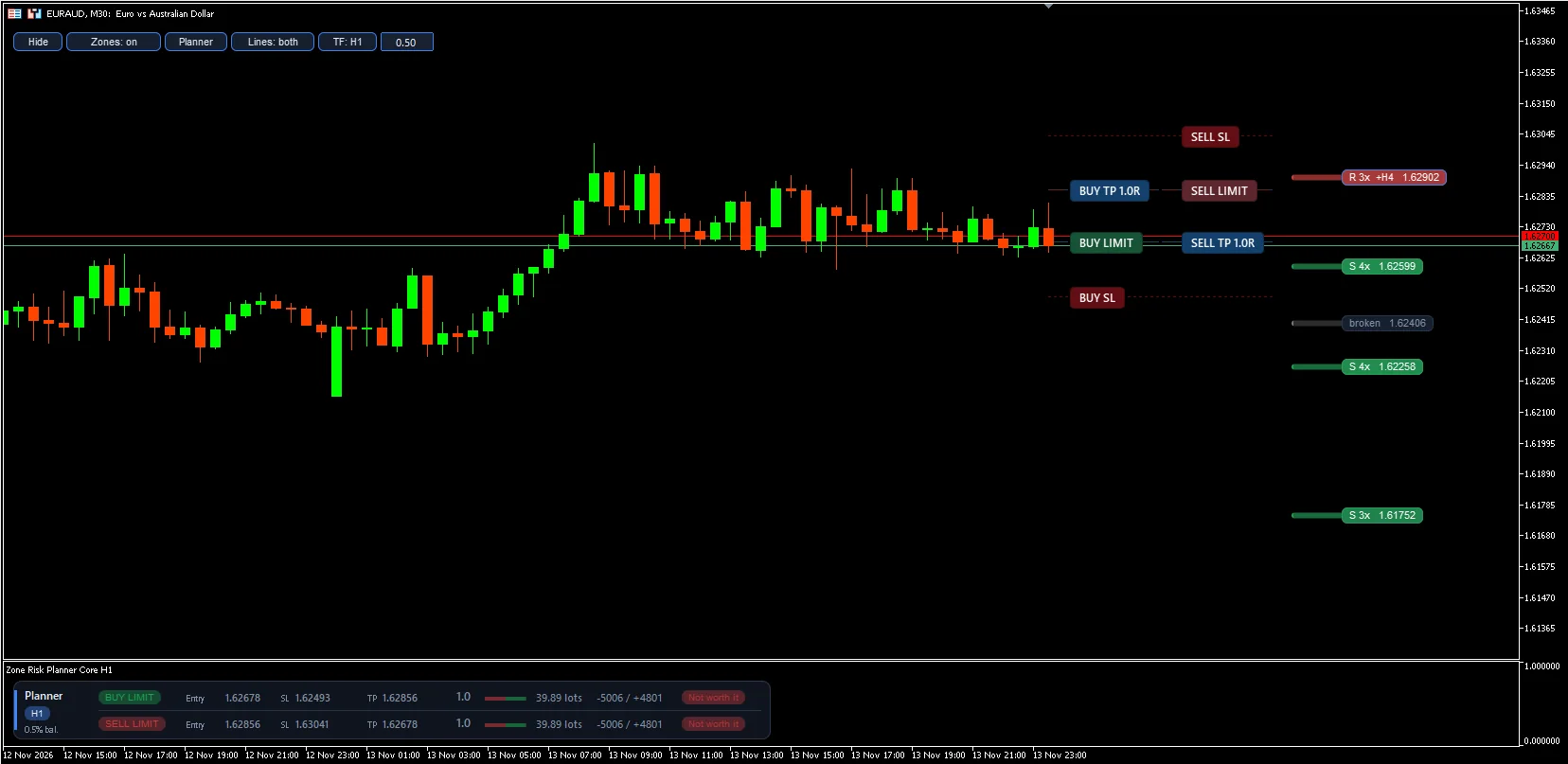
M30 chart with H1 zones and both plans; the planner sits in its window under the chart
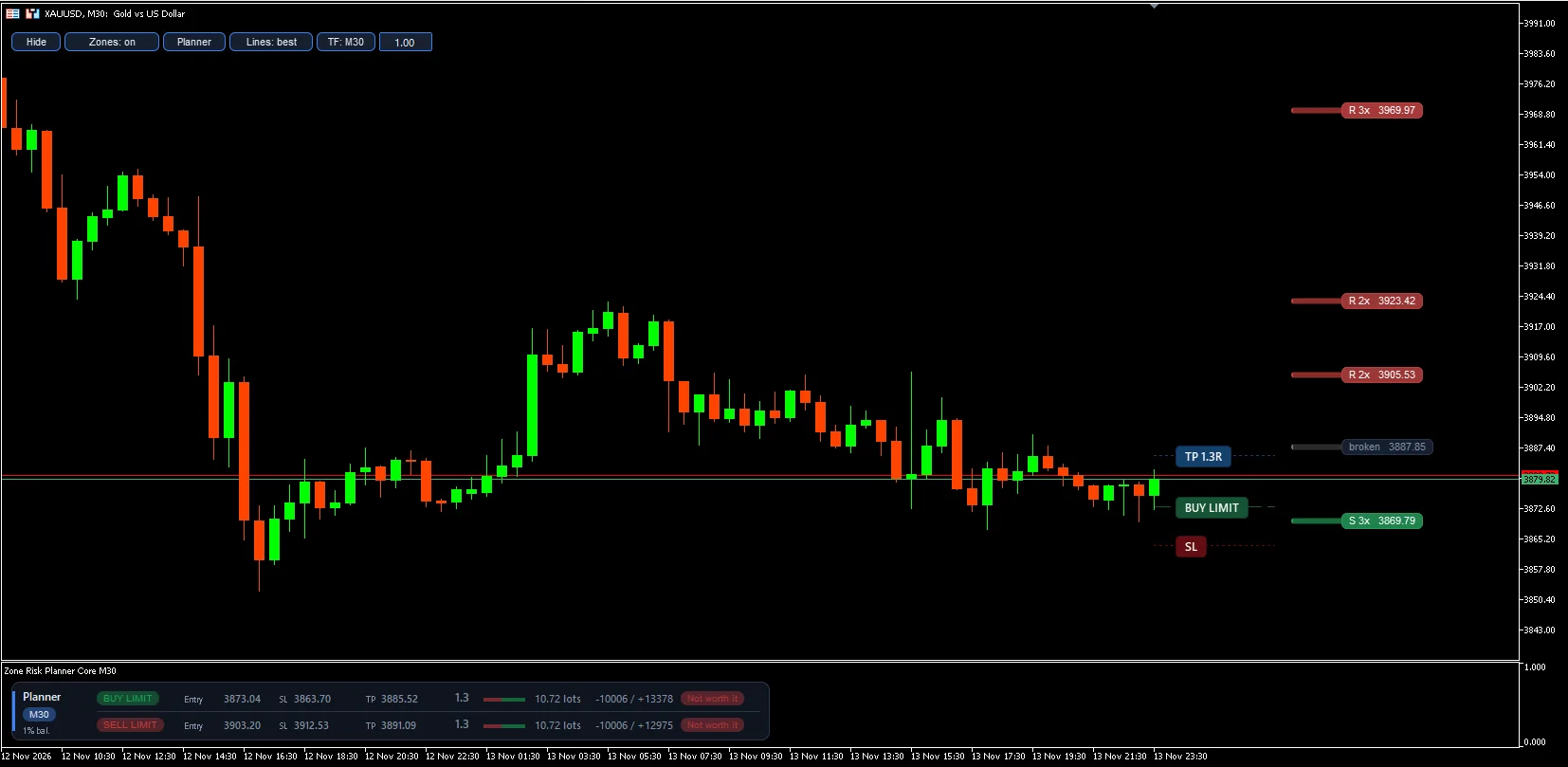
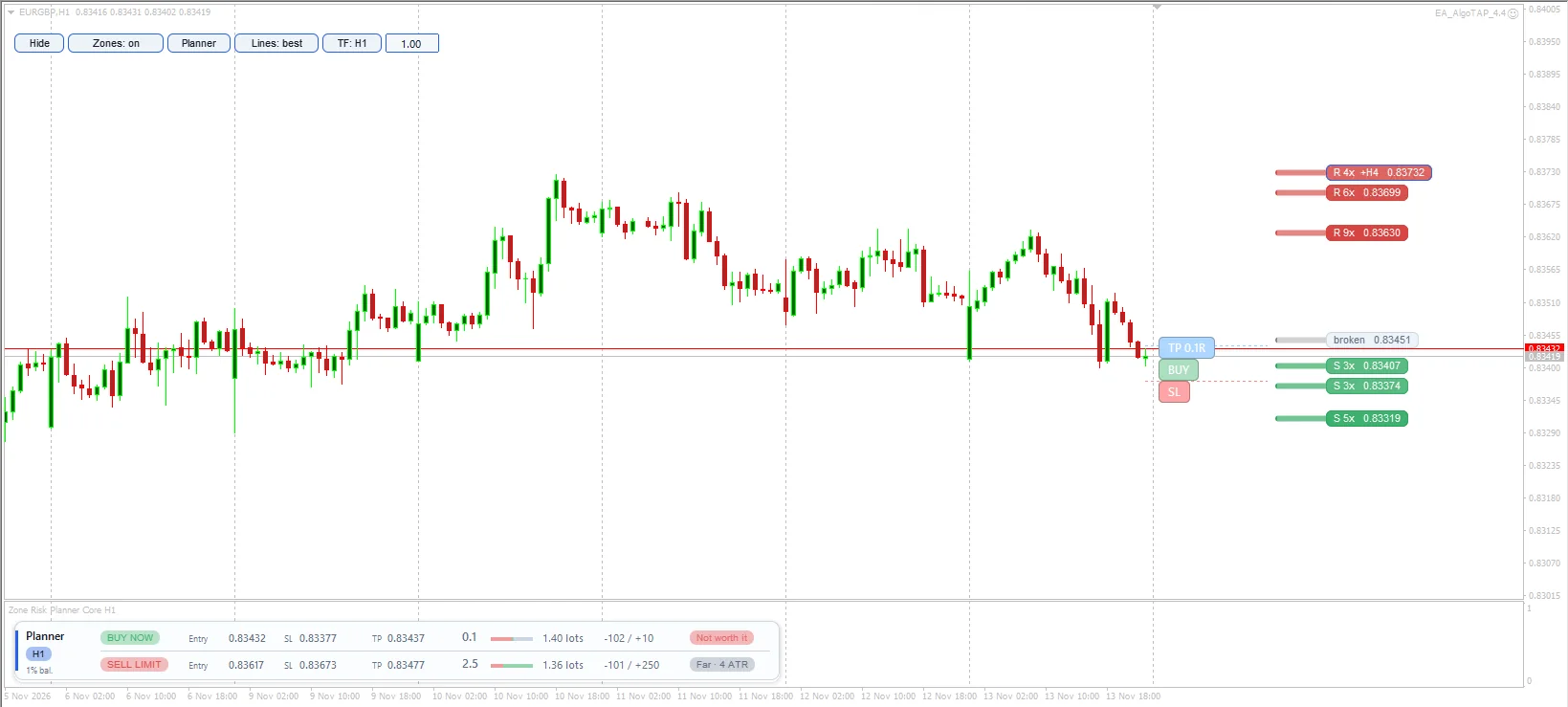
Best-plan lines: both plans are below the minimum R:R, so they are dimmed
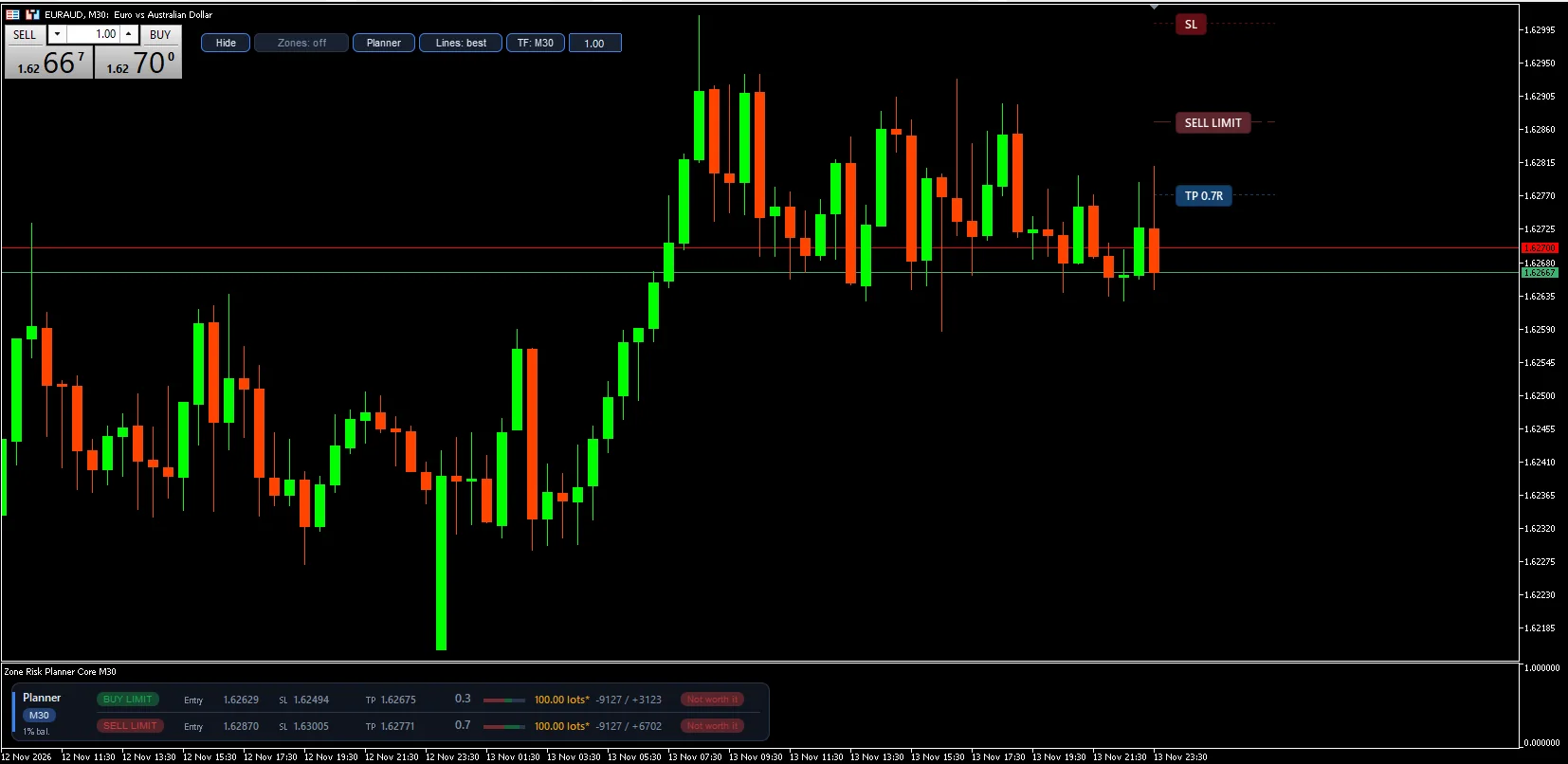
With the one-click trading panel open, the buttons move aside by themselves
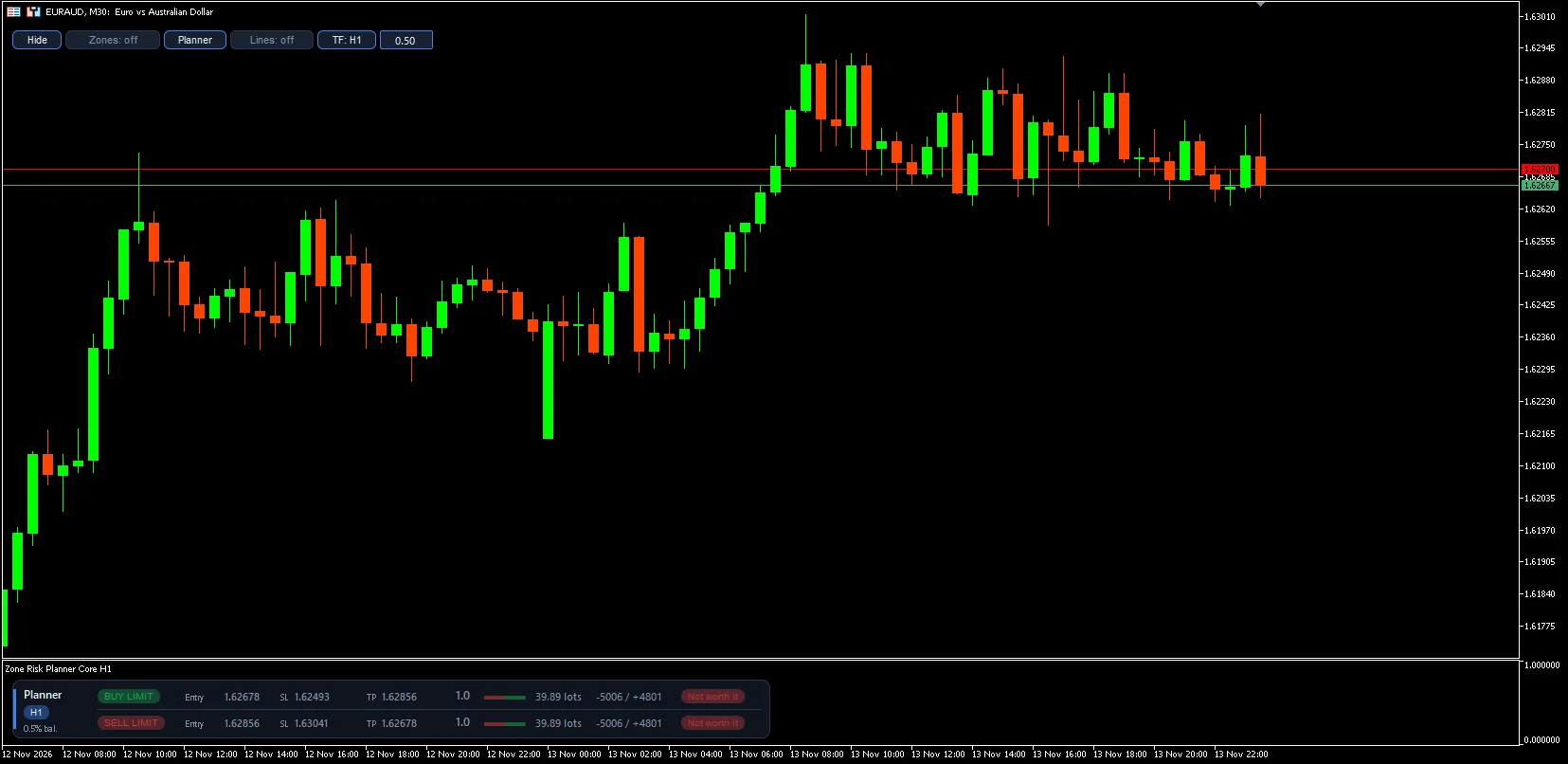
Zones and lines off: the chart stays clean and the plan is shown only in the panel
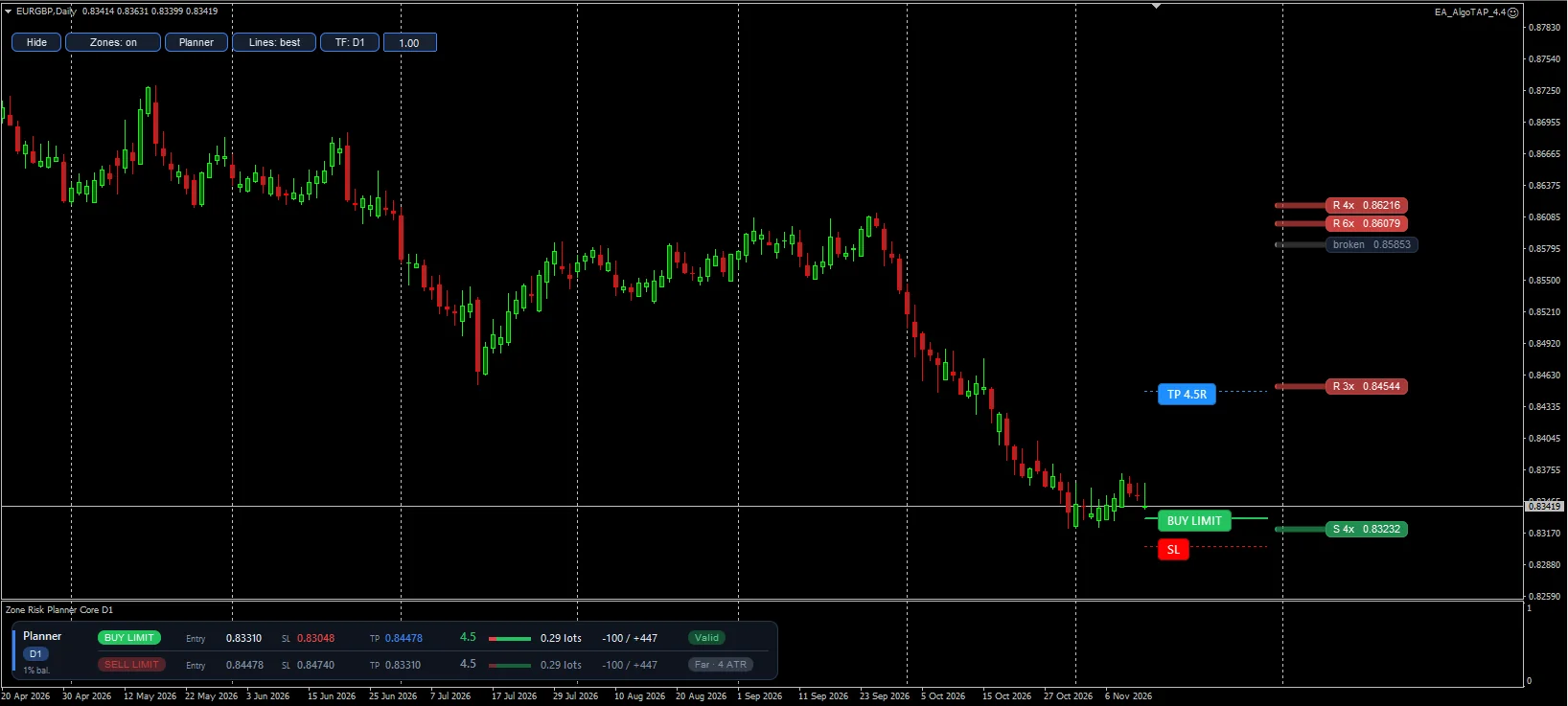
MetaTrader 4 on D1: valid buy plan with an R:R of 4.5
MetaTrader 4 on a light chart: buttons, labels and panel follow the chart theme

Screenshots taken on a demo account.

What it does

Support and resistance zones

  • Calculated on the timeframe you choose with the TF button (M5 to D1), from confirmed highs and lows
  • Each zone’s width adapts to volatility (ATR)
  • Each zone shows its touches (“3x”) and whether it matches the higher timeframe (“+H1”)
  • Broken zones turn grey and stay visible, because price often reacts there again
  • Drawn on the right of the chart without covering candles
  • They can come from a higher timeframe than the chart: for example, watch M30 with H1 zones and plan

Stop loss and take profit planner

  • Real-time buy and sell plan, with a limit order at the zone edge or a market entry
  • Stop loss outside the zone, never closer than a minimum distance
  • Take profit at the first visible zone after entry, broken ones included, so the expected result is realistic
  • R:R net of spread and commission: plans below your minimum are marked “Not worth it” and entries too far away, “Far”
  • Lot size from the percentage of balance you want to risk, with margin and maximum lot warnings

Interface

  • The planner panel sits in its own window under the chart and never covers the candles; on a narrow chart it scrolls with the ‹ › buttons
  • On-chart buttons to show or hide zones and the planner, choose the plan lines, change the zone timeframe and the risk
  • Light and dark theme, English and Spanish
  • It can share a chart with Zone Risk Planner: each one has its own objects and window

Main inputs

LanguageLanguage of buttons, panels and warnings (English or Spanish).
ProfileAsset profile: Auto, Forex, Indices, Metals, Crypto or Custom. Auto adapts by itself.
Zone timeframeInitial zone timeframe (change it later with the TF button).
Pivot bars left / rightCandles that confirm a high or low. More candles, fewer but stronger zones.
Minimum touchesTouches needed for a zone to count.
Max zones per sideZones drawn above and below price.
Recommended entryLimit order at the zone edge or market entry.
Minimum R:RMinimum ratio for a plan to be valid.
TP stops at the first zone, broken ones includedThe TP stops at the first visible zone, even if broken.
Limit entry farther than this (x ATR) is marked FarDistance beyond which a limit entry is marked “Far”.
Risk %Percentage of balance you risk on each trade.
Commission per lotYour broker’s commission, so lots and R:R are exact.

Full version

Zone Risk Planner adds position mode (your open trade with its real R:R), an exposure panel for the whole account with loss limits, the market regime across several timeframes, a scanner for up to 6 symbols, alerts and more risk modes.

See Zone Risk Planner

This indicator helps you plan trades and control risk. It does not predict the market or guarantee results. Always check the lot size in your broker’s order window before trading, and try it first on a demo account.

How to install it

  1. 1

    Open the Market tab in MetaTrader 5 or 4

    Sign in with your MQL5 account.

  2. 2

    Find Zone Risk Planner Core and install it

    It will appear in the MetaTrader Navigator, under Indicators → Market.

  3. 3

    Drag it onto the chart

    The full user guide is in the Comments tab of its Market page; each platform has its own.

Questions

Does it work on MetaTrader 4?

Yes. The MetaTrader 4 version is a separate product on the Market: download it with the “MT4” button.

Does it open trades for me?

No. It gives you the information and the plan; the decision to trade is always yours.

Where is the user guide?

In the Comments tab of its MQL5 Market page, in English.

Does it cost anything?

No, it is free. Download it from the Market and try it on your chart, ideally on a demo account first.

Is it safe for my account?

It never sends, modifies or closes orders: it only works on the chart with the data it needs.

Zone Risk Planner Core

Download it free on the MQL5 Market

FreeMT5: coming soon to MQL5MT4: coming soon to MQL5

More from Jasopex

A panel that tells you whether the market is moving a lot or a little for that asset, with an ATR-based trailing stop.

FreeUtility

Chart Sweeper

See everything on your chart and remove only what you choose, with protection for what you want to keep and an undo option.
FreeUtility

SnapDraw

Every MetaTrader drawing tool in one panel below the chart, in your colours and snapped to the candle.