
49 USDIndicator
Zone Risk Planner
Support and resistance zones turned into a plan with entry, stop, take profit and lot size, plus your whole account’s risk at a glance.


MetaTrader 4 only downloads the history your broker keeps on its MT4 server, often just a few months. History Bridge takes the history MetaTrader 5 already has and writes it in the formats MetaTrader 4 reads (.hst and CSV), from M1 to MN1, and checks that every timeframe is complete. For MetaTrader 5.
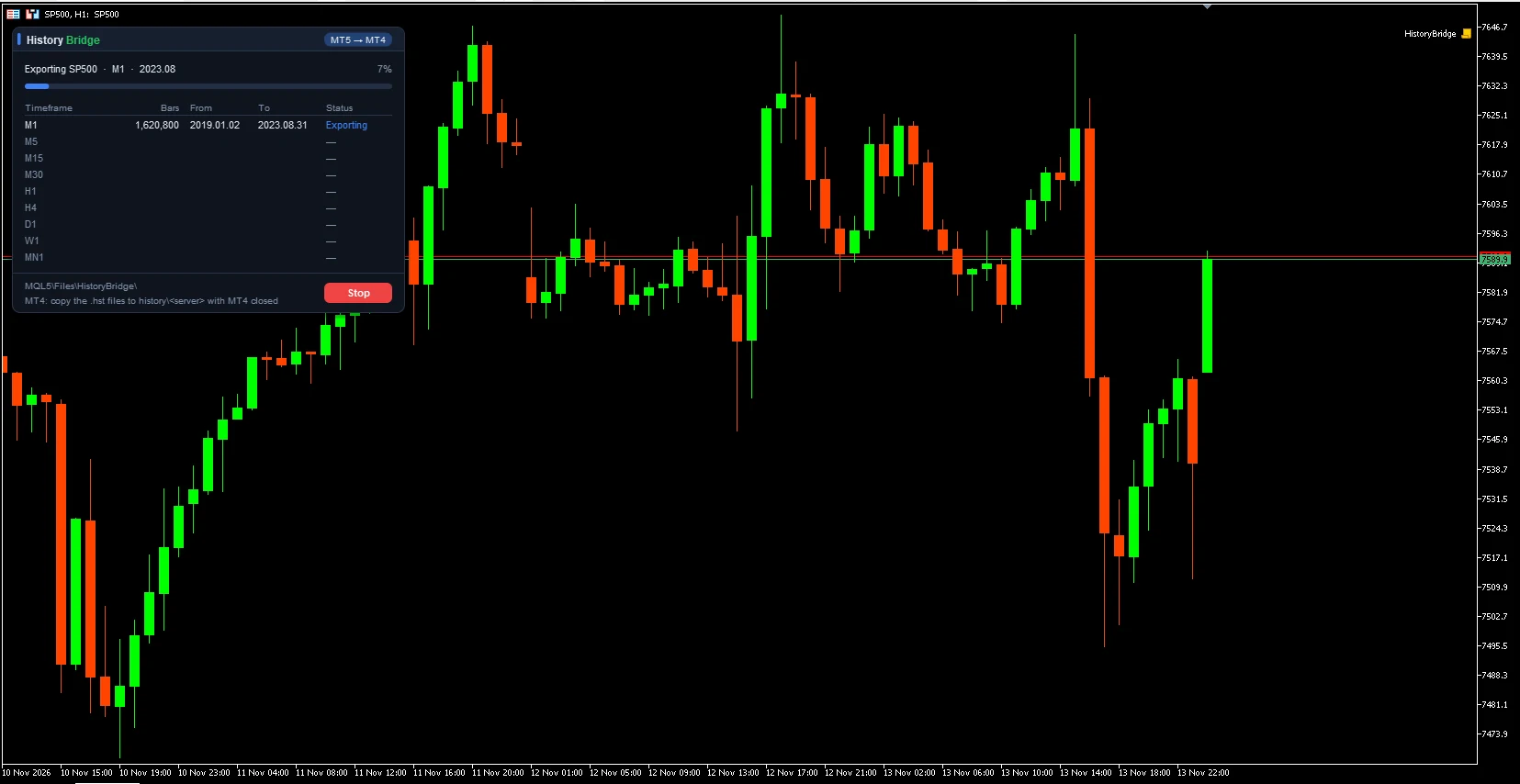
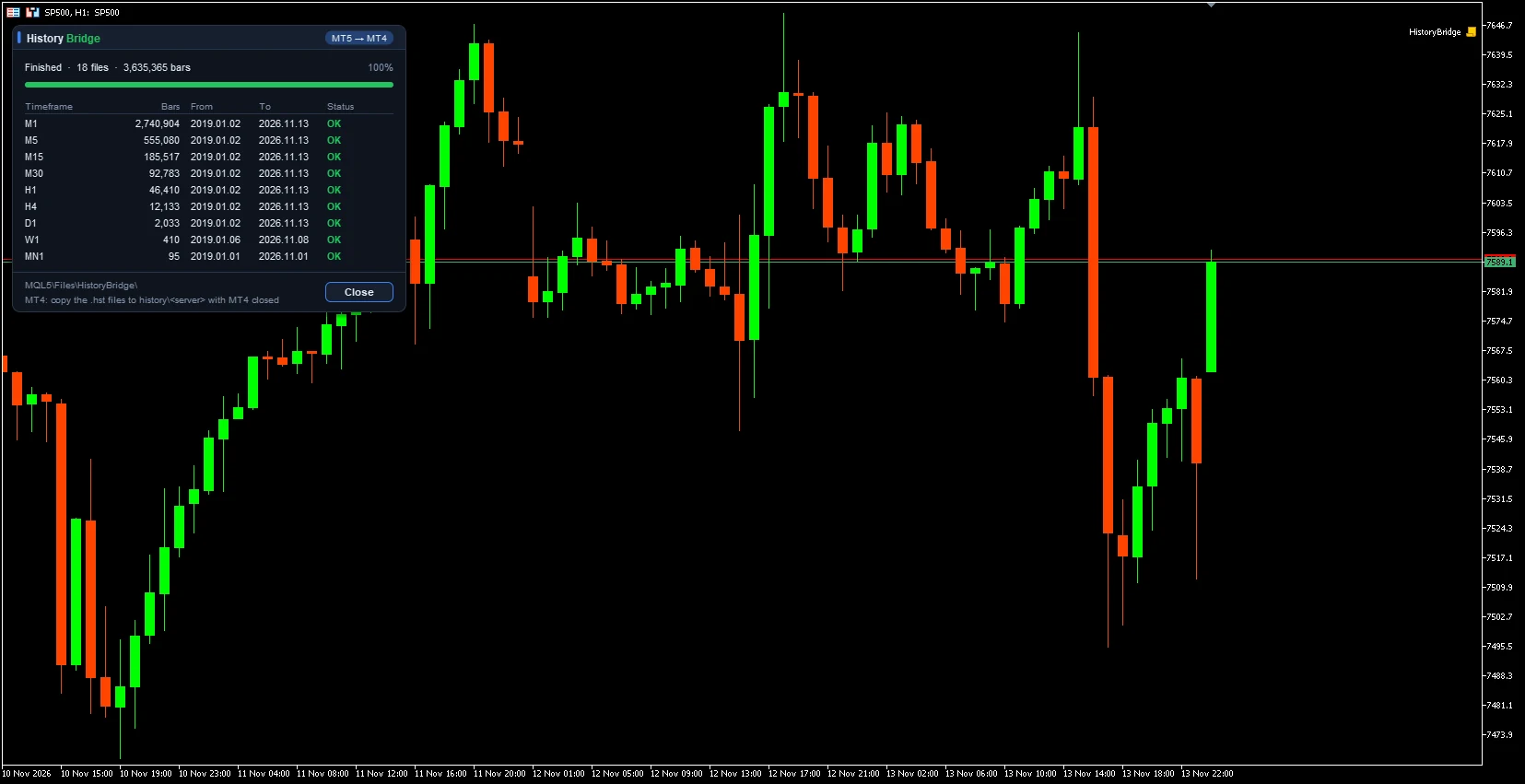
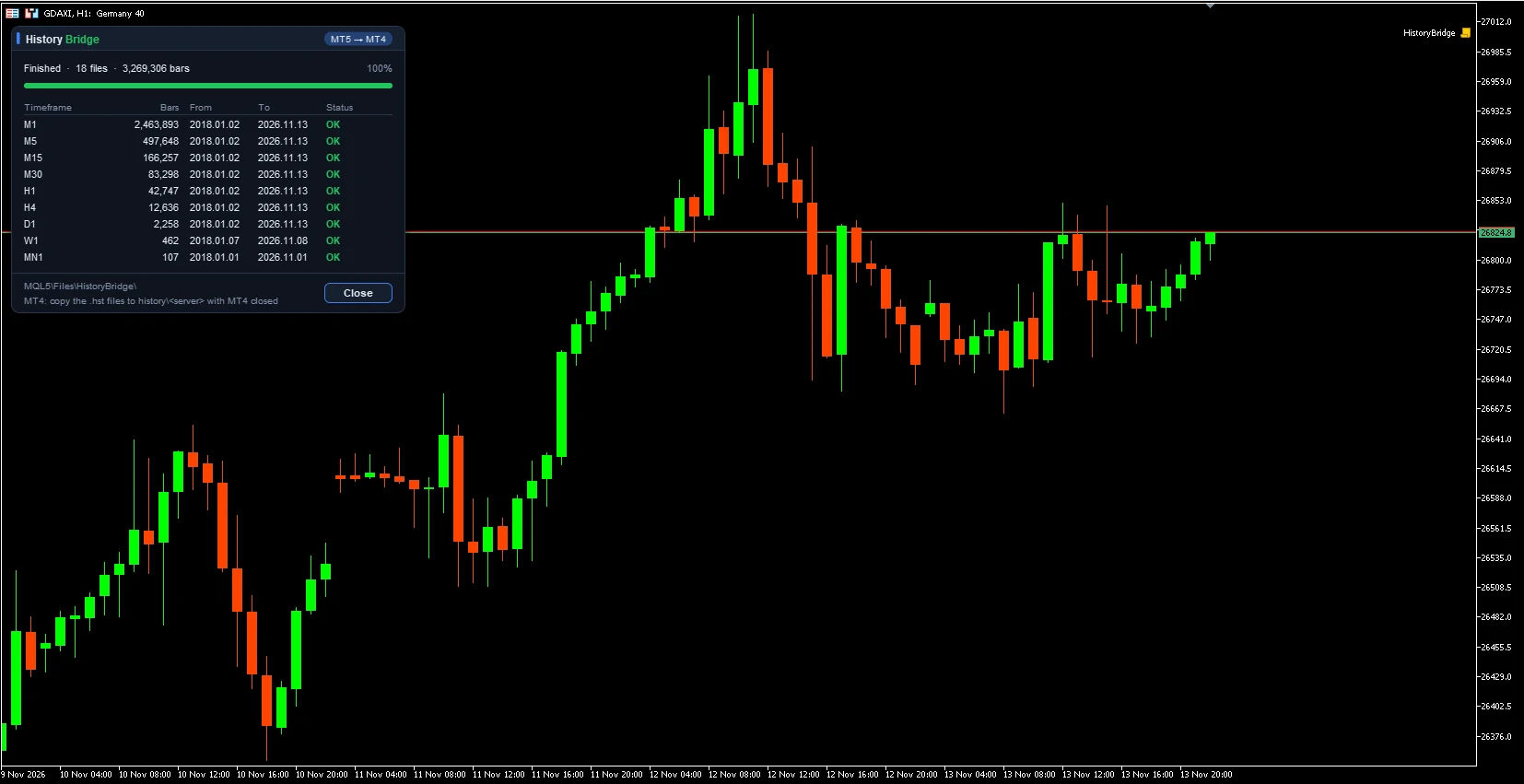
Screenshots taken on a demo account.
SymbolsEmpty exports the chart symbol. Otherwise, a comma-separated list; NAME=MT4NAME changes the name used for MT4. Up to 30 symbols.Export from / Export toFirst and last date. 1970.01.01 means all the server history and up to now. Start a few months before your backtest so indicators have previous bars.M1 … MN1Timeframes to export. For an MT4 backtest, at least M1 and your EA’s timeframe.Files to create.hst and CSV, .hst only or CSV only.Subfolder inside MQL5\FilesFolder for the files (HistoryBridge). Empty writes directly in MQL5\Files.CSV separator / date format / header lineCSV format. For the MT4 History Center, keep the defaults: comma, MT4 date format and no header.Language / Panel themeCard language (English or Spanish) and theme: automatic, dark or light.History Bridge only reads the MetaTrader 5 price history and writes files: it does not open, close or modify trades or give signals. A backtest is only as good as its history, but results on historical data do not guarantee future results.
Sign in with your MQL5 account.
It will appear in the MetaTrader Navigator, under Scripts → Market.
First, set “Max bars in chart” to Unlimited (Tools → Options → Charts) and restart MetaTrader 5. Then keep the inputs as they are or choose symbols and dates, and press OK.
It runs on MetaTrader 5, and the files it creates are for MetaTrader 4: you copy them to its history folder or import them in the History Center.
No. It only reads the MetaTrader 5 price history and writes files; it gives no signals.
Here, on this website: Open the user guide.
No, it is free: download it from the Market and run it on a MetaTrader 5 chart.
It never sends, modifies or closes orders: it only reads price history and writes files in the MQL5\Files folder.
MetaTrader 5 Market programs can only write inside MQL5\Files. Copying them takes a minute: close MT4, paste them into history\<your server> and run the backtest with MT4 offline, so the server does not replace them.
“Max bars in chart” is limited in MetaTrader 5 or the history was not fully downloaded. Set it to Unlimited, restart MT5, open an M1 chart of the symbol, press Home until you reach the start date and run History Bridge again.
Yes, if both brokers use the same server time and price for the symbol. If not, the backtest will use the MT5 broker’s times and prices.
No. It is a script you run on a chart; the files it creates are for the MetaTrader 4 tester.
Download it free on the MQL5 Market
Support and resistance zones turned into a plan with entry, stop, take profit and lot size, plus your whole account’s risk at a glance.
The free version of Zone Risk Planner: support and resistance zones and a plan with entry, stop, take profit and lot size.
A panel that tells you whether the market is moving a lot or a little for that asset, with an ATR-based trailing stop.