
49 USDIndicator
Zone Risk Planner
Support and resistance zones turned into a plan with entry, stop, take profit and lot size, plus your whole account’s risk at a glance.


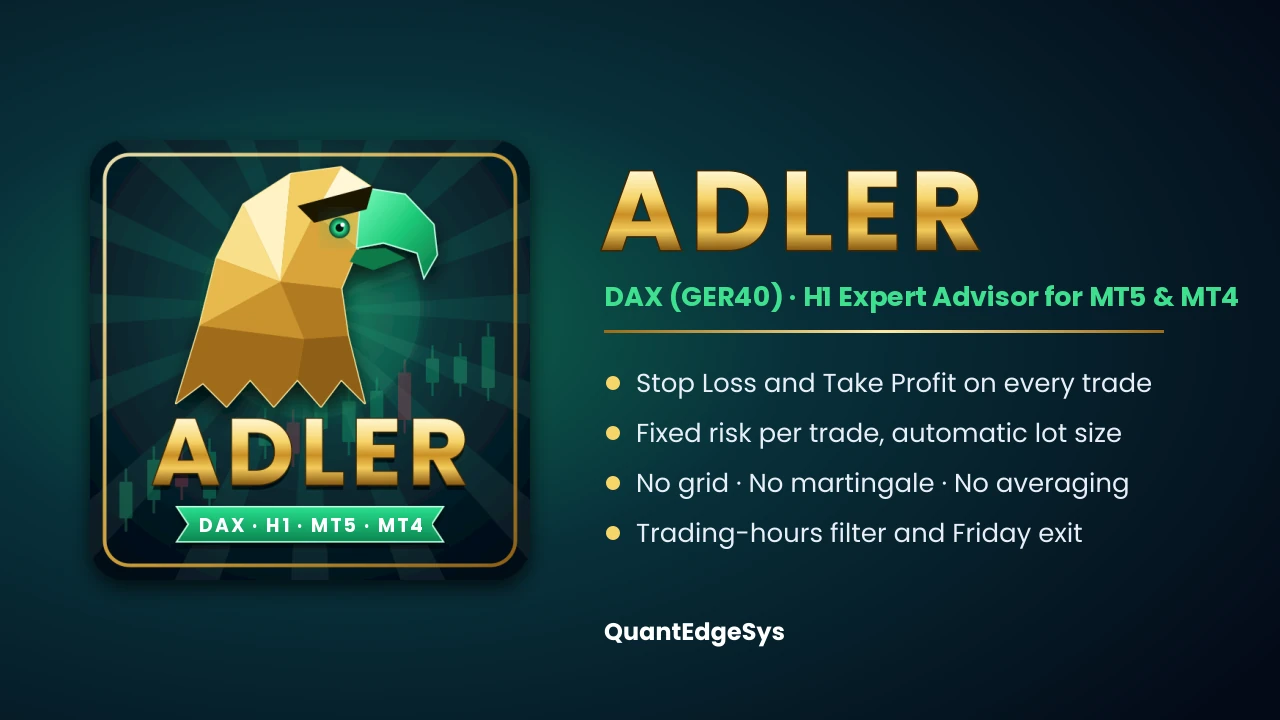
Fully automated Expert Advisor for the DAX index (GER40) on H1. It enters with pending stop orders, sends every trade with a stop loss and take profit, risks a fixed amount per trade and never holds positions over the weekend. No grid, no martingale. Available for MetaTrader 5 and MetaTrader 4.
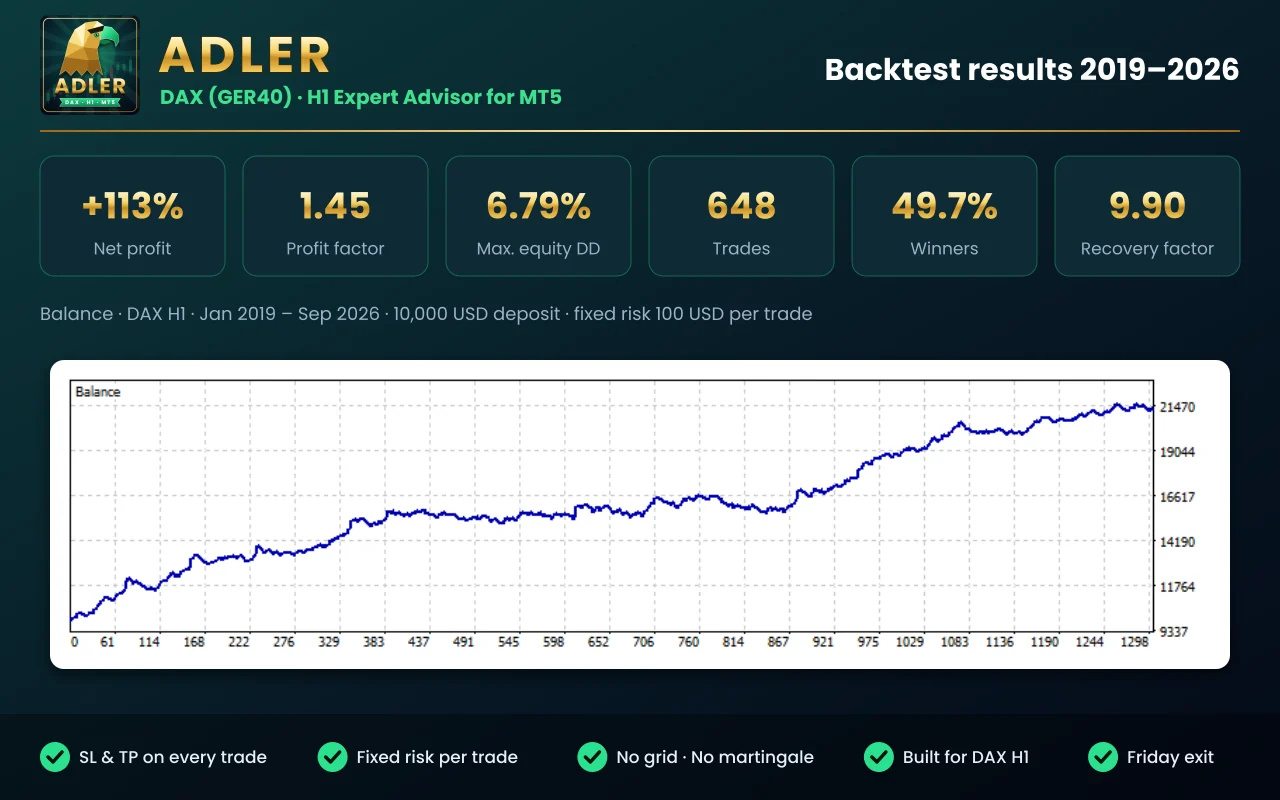
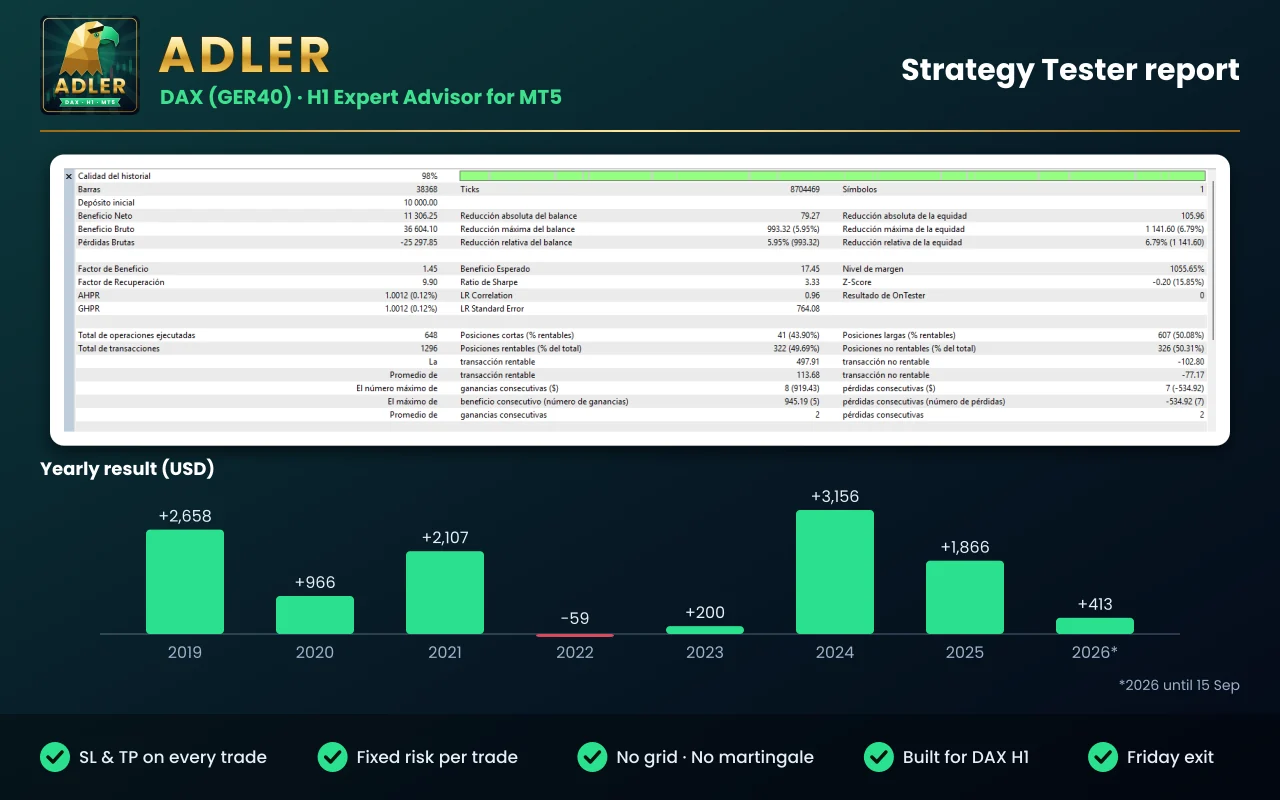
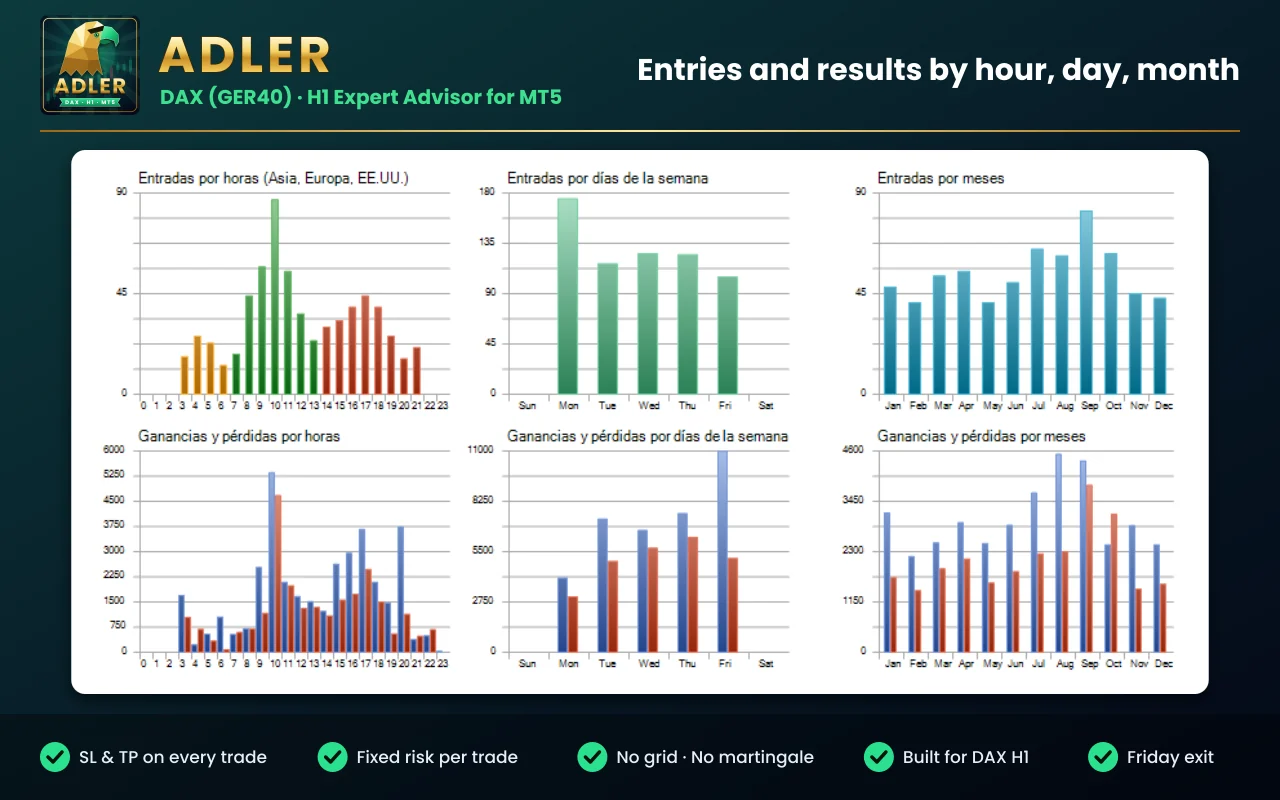
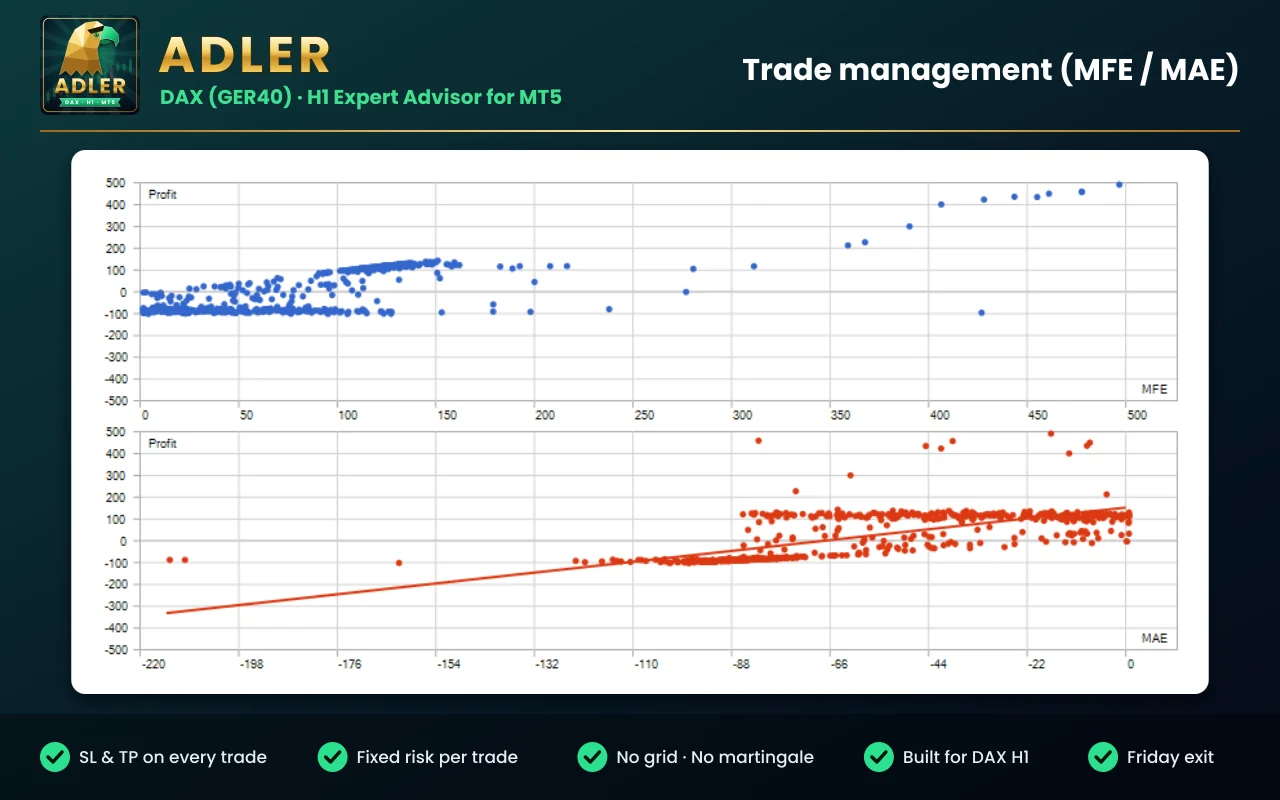
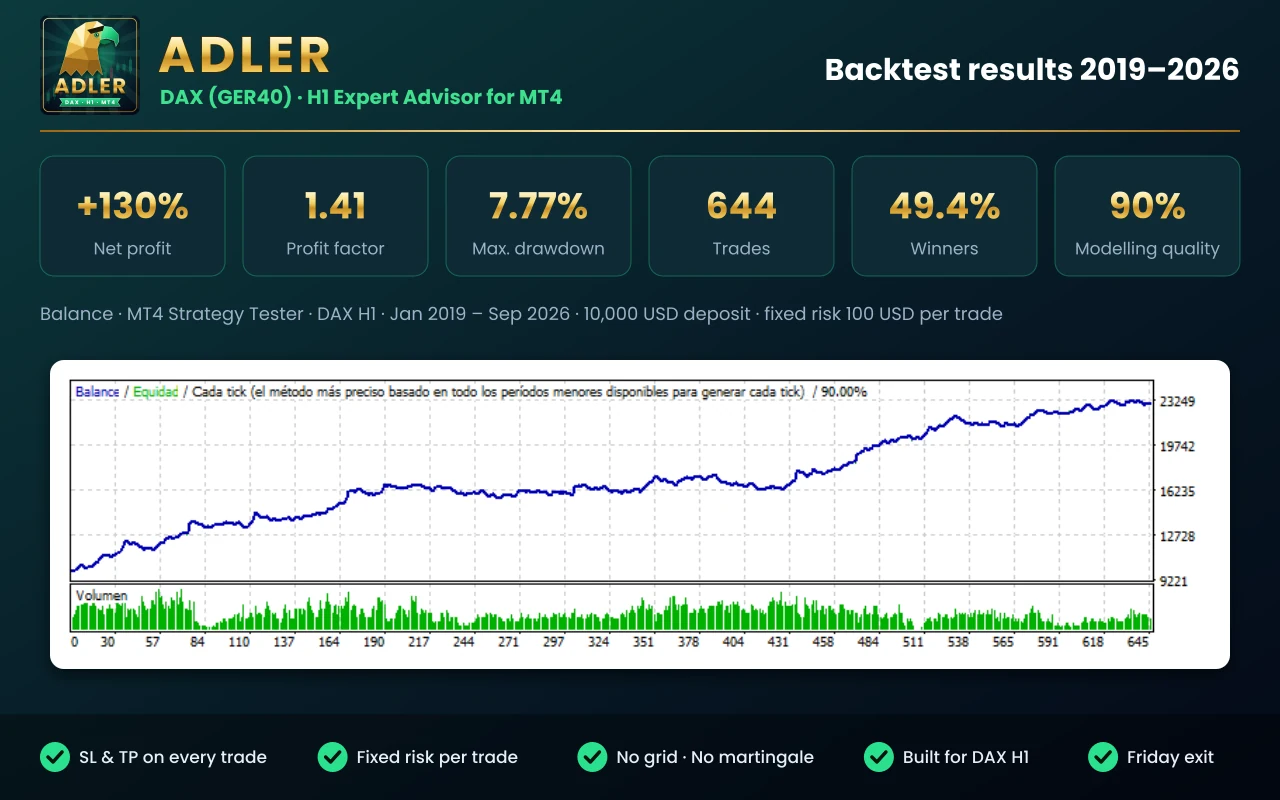
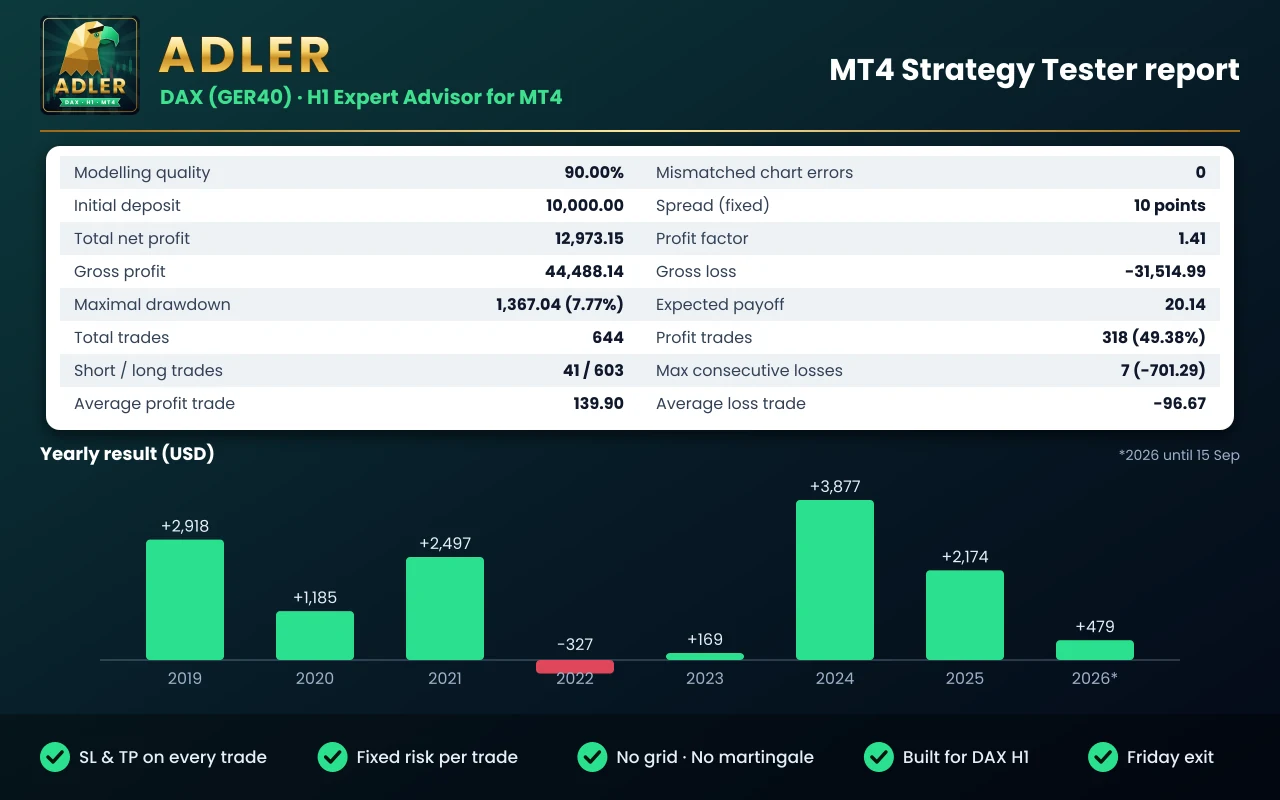
The figures in the screenshots come from a backtest: hypothetical results that do not guarantee future results.
* Up to 15 September.
Backtest on DAX H1 from 1 January 2019 to 15 September 2026, with a 10,000 USD deposit, a fixed risk of 100 USD per trade and default settings. Commissions and swaps included. Net profit was 11,306 USD over the whole period: on average, about 15% a year without compounding, because the risk is a fixed amount. These are hypothetical results and do not guarantee future results. Expect flat periods, such as 2022 and 2023.
* Up to 15 September.
Backtest on MetaTrader 4, DAX H1, from 1 January 2019 to 15 September 2026, “Every tick” model with 90% modelling quality, fixed spread of 1.0 point, 10,000 USD deposit, fixed risk of 100 USD per trade and default settings. The MT4 Strategy Tester does not charge commission, so real costs will reduce the result. Net profit was 12,973 USD over the whole period: on average, about 17% a year without compounding, because the risk is a fixed amount. MT4 and MT5 do not give identical figures (different data, spread and costs), but 638 of the 644 trades match the MT5 version in day and direction. These are hypothetical results and do not guarantee future results.
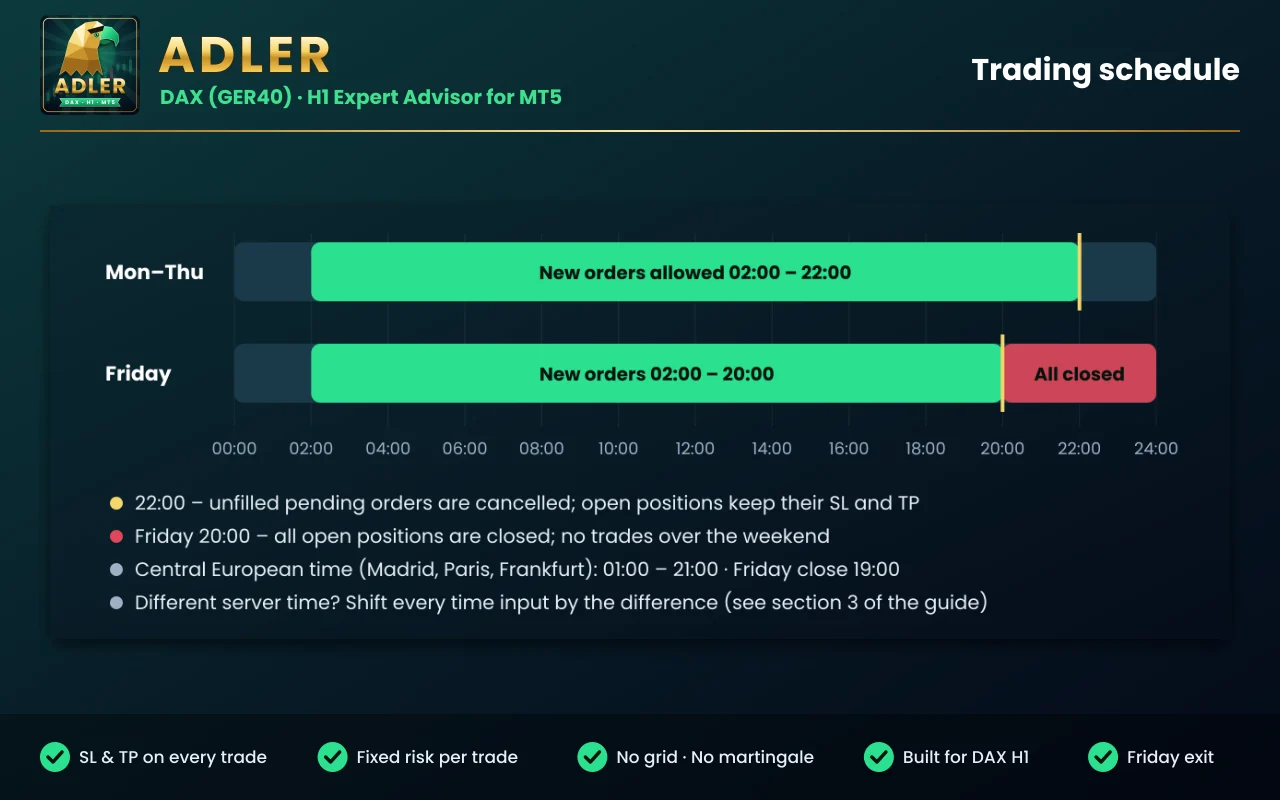
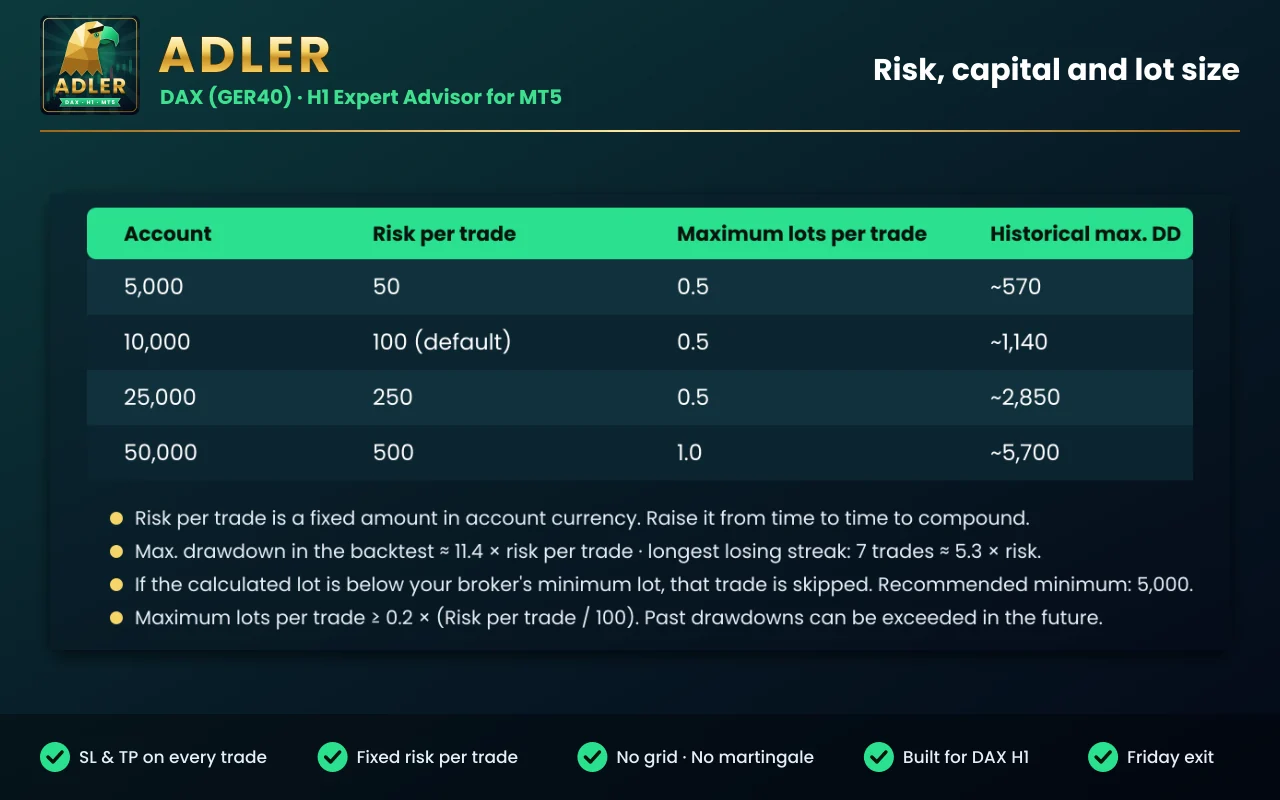
Use money management / Risk per tradeFixed risk per trade, in account currency (100 by default). The lot is calculated to lose that amount if the stop is hit.Fixed lotsFixed lot if you turn money management off.Maximum lots per tradeMaximum lot per trade (0.5 by default). Set it to at least 0.2 × (risk per trade / 100).Trading from / Trading toHours for new orders, in server time (02:00 to 22:00).Exit on Friday / Friday exit timeCloses every position on Friday (20:00 by default).Enable Long / Short tradesTurns each direction on or off.Magic numberThe EA’s own number (41028). Change it if another EA uses the same one.Preferred filling typeMT5 only. Filling type (FOK). Change it to IOC or Return if your broker rejects orders.Adler trades automatically on your account. Trading CFDs involves a high risk of losing money, and backtest results are hypothetical: they do not guarantee future results. Test it first on a demo account with your broker and only trade with capital you can afford to lose. The settings, symbol and timeframe you use are your responsibility.
Sign in with your MQL5 account.
It will appear in the MetaTrader Navigator, under Expert Advisors → Market.
In the Common tab, tick “Allow Algo Trading” (on MetaTrader 4, “Allow live trading”) and check that the Algo Trading button (on MetaTrader 4, AutoTrading) is green. The full user guide is in the Comments tab of its Market page; each platform has its own.
Yes. The MetaTrader 4 version is a separate product on the Market: buy it with the “MT4” button.
In the Comments tab of its MQL5 Market page, in English.
Yes. From its Market page you can download the free demo and test it in the MetaTrader 5 or 4 Strategy Tester with your broker’s data, ideally over several years (on MT4, with complete M1 history).
5,000 or more in account currency is recommended, with 1% risk per trade. If the calculated lot is below your broker’s minimum lot, that trade is not opened.
The times are set for servers at New York time + 7 h, the most common in MetaTrader. If your broker uses another one, the guide explains how to subtract the difference from each time.
Both versions follow the same rules, but each tester uses its own data and costs: MT4 works with a fixed spread and no commission, MT5 with the broker’s costs. Even so, 638 of the 644 MT4 trades match MT5 in day and direction.
It is recommended, so it can manage pending orders and the Friday exit even when your computer is off.
Get it on the MQL5 Market
Support and resistance zones turned into a plan with entry, stop, take profit and lot size, plus your whole account’s risk at a glance.
The free version of Zone Risk Planner: support and resistance zones and a plan with entry, stop, take profit and lot size.
A panel that tells you whether the market is moving a lot or a little for that asset, with an ATR-based trailing stop.